All payments via the online payment gateway are subject to the following:
1. VinUni accepts the following cards: Visa, MasterCard, AMEX, JCB, UnionPay, ATM card from a local bank.
2. All library fines/fees and refund policies are levied in VinUni’s Financial Regulations and Tariff.
1. Log in to “Library Account” with your VinUni account on the Library Homepage (more log-in tips).

2. Click “PAY FINE”.
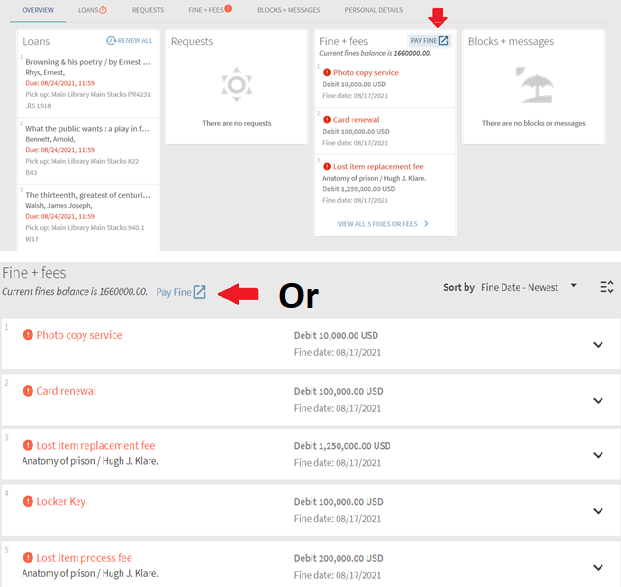
3. Select all (full payment) or just some items (partial payment) that you want to pay. Check the box “I agreed with terms and conditions” and then “CHECK OUT TO PAY”.

4. Select payment method and input the card information.
Note:

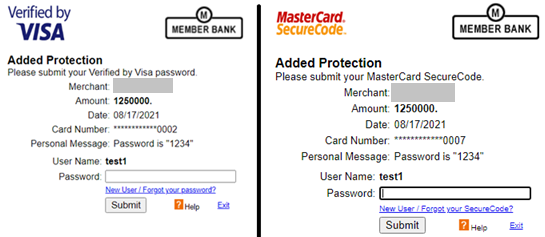
4.1. Paying with Credit / Debit cards
Note: If you have enrolled 3D- Secure Program with the Issuer Bank, you must input the verification code for online payment. Please contact card-issue Bank using the phone number on the back of your card for assistance if necessary.
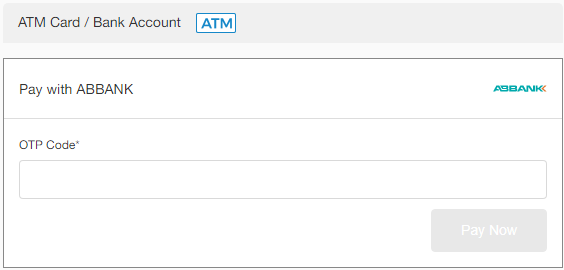
4.2 Paying with your ATM Card / Bank Account.
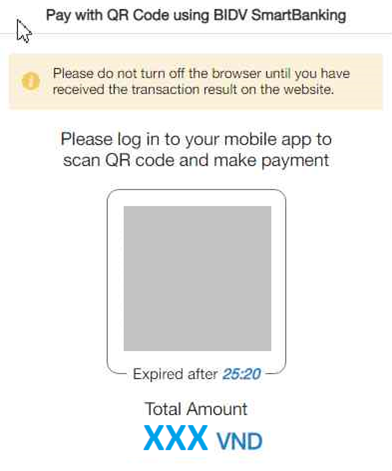
4.3 Paying with with QR Code.
1. You will be asked to wait for some seconds for the transaction result.
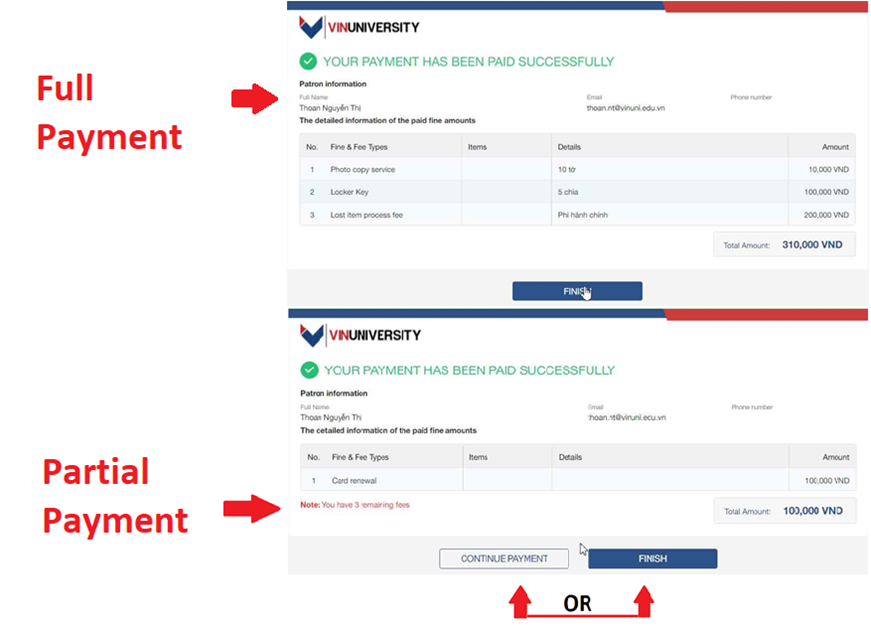
2. If your payment has been paid successfully,
An online receipt will also be sent to your email address registered in VinUni Library system automatically to confirm your payment has been made successfully.
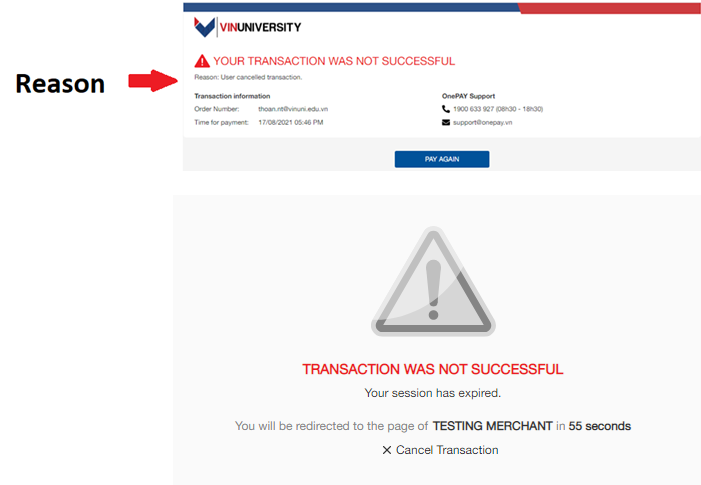
3. In some cases, your transaction may not be successful due to the following reasons:
When your transaction is not successful after you input accurate card information, please DO NOT try to make another payment. Please contact the librarian staff at VinUni Library’s circulation desk for further instructions.